How to Reset AcuRite Weather Station in 3 Easy Steps
To reset your AcuRite weather station in three easy steps, you’ll want to start by ensuring both the sensor and display have fresh batteries.
Double-check that the A-B-C switch settings match on both units.
Next, remove the batteries to power them off completely.
Then, hold the display’s reset button for 20 seconds to clear any old connections.
Finally, reinstall the batteries and keep the units close together for a few minutes.
This will allow the display to show a strong sensor signal.
Keep reading for more tips to ensure a smooth setup and maintain a reliable signal!
Prepare Your Weather Station for Reset

Before you reset your AcuRite weather station, make sure all the batteries in both the indoor display and outdoor sensor are fresh and installed correctly.
Check that the A-B-C switch on the outdoor sensor matches the setting on the indoor display to ensure proper communication.
Ensure the A-B-C switch on the outdoor sensor aligns with the indoor display for seamless communication.
Position the outdoor sensor and indoor display within 330 feet of each other, avoiding areas with electronic interference that could disrupt the signal.
Next, power off the display unit completely by removing the batteries or unplugging the power adapter. This step prevents any power-related issues during the reset process.
Finally, have a small tool or paperclip ready to press the reset button, usually found on the back of either the display or sensor.
Proper preparation helps guarantee a smooth and effective reset of your weather station.
Perform a Hard Reset on the Sensor and Display
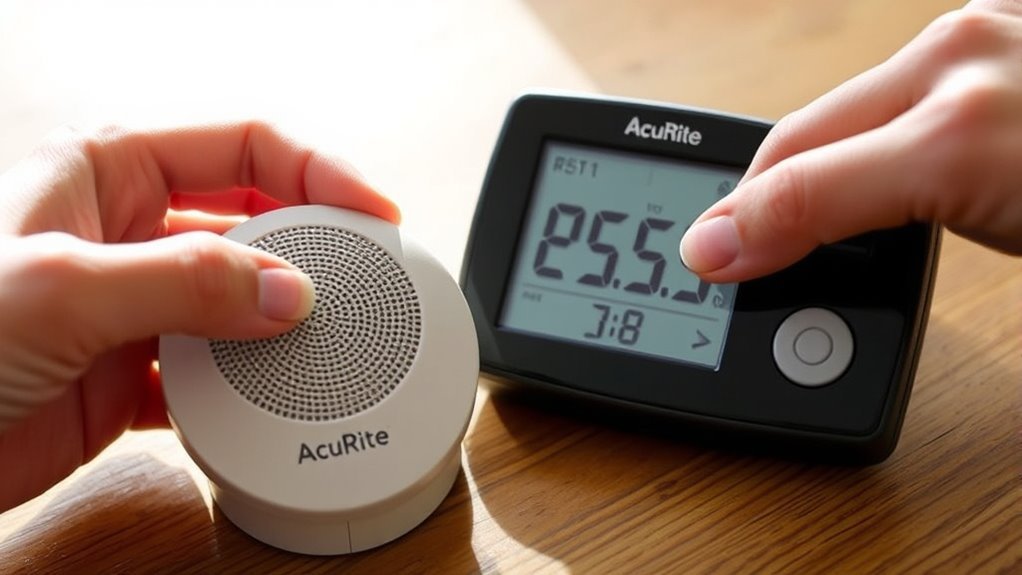
Once you’ve prepared your weather station by checking batteries, matching the A-B-C switch, and positioning the units properly, you can begin the hard reset.
Start by removing the batteries from the outdoor sensor and watch the wireless signal on the display drop to zero bars.
Next, power down the display by removing its batteries or unplugging its adapter.
Change the A-B-C switch on both the sensor and display to a new, matching channel to avoid interference.
Reinstall the batteries in the display and hold the reset button for 20 seconds to initiate the reset.
Keep the sensor and display close together for about 5 minutes until a solid sensor signal appears on the display, confirming the reset successfully restored communication between your outdoor sensor and the display.
Restore Power and Re-establish Sensor Connection

After resetting the outdoor sensor and display, you’ll want to restore power by reinstalling their batteries.
Then, keep both units close together to help them quickly re-establish a strong wireless connection.
Before reinstalling, make sure the A-B-C switch on both the sensor and display is set to the same channel to synchronize communication.
Power off the display by removing its batteries or unplugging it, then hold the reset button for about 20 seconds to clear previous links.
Once you reinstall the batteries in both units, keep them near each other for around five minutes until the display shows a solid sensor signal.
This process ensures the sensor and display reset properly, restoring their connection and allowing accurate data transmission from the outdoor sensor to the display unit.
Frequently Asked Questions
How Do I Reset Acurite Weather Station?
You reset your AcuRite weather station by removing both batteries,
holding the reset button for 20 seconds.
Then, reinstall the batteries, ensuring the channels match.
After that, power it on to sync.
It may take a few minutes to reconnect.
How Do I Reset My Weather Station?
Think of your weather station as a sleepy bird; to reset it, remove the batteries.
Align the A-B-C switches, reinstall power, and hold the reset button until the signal sings again.
Keep the units close to reconnect smoothly.
Why Is My Acurite Weather Station Not Reading Correctly?
Your AcuRite weather station isn’t reading correctly because sensors might be misaligned, dirty, or have low batteries.
Interference, software glitches, or communication errors can also cause wrong data.
Resetting often fixes these issues quickly.
How to Synchronize Acurite Weather Station?
To synchronize your AcuRite weather station, set both units to the same channel.
Next, reinstall the batteries and hold the display’s reset button for 20 seconds.
Make sure to keep the units close together for 5 minutes until you see a solid sensor signal.
Conclusion
Now that you’ve reset your AcuRite weather station, you might wonder if this really improves its accuracy.
The truth is, a reset clears any glitches and forces the sensor and display to reconnect properly. This often resolves data errors.
So, if your readings seemed off before, you’ll likely see more reliable results now.
Keep this simple reset in mind anytime your weather station acts up—it’s a quick fix that really works.
In conclusion, resetting your AcuRite weather station can significantly enhance its accuracy.
By clearing glitches and ensuring proper communication between the sensor and display, you’ll enjoy more reliable readings.
Whenever you encounter issues, remember that a reset is an effective solution.