How Is WiFi Affected by Weather Conditions?
You’ll notice WiFi slows down and signals weaken during heavy rain, fog, or high humidity because moisture absorbs and scatters wireless signals.
Thunderstorms bring electromagnetic interference, and lightning can damage your equipment if unprotected.
Strong winds may misalign antennas or loosen connections, while temperature extremes can cause overheating or hardware brittleness.
Taking steps to protect and maintain your WiFi can keep it stable in harsh weather.
Keep going to uncover practical ways to safeguard your connection.
The Effects of Rain on WiFi Signal Strength
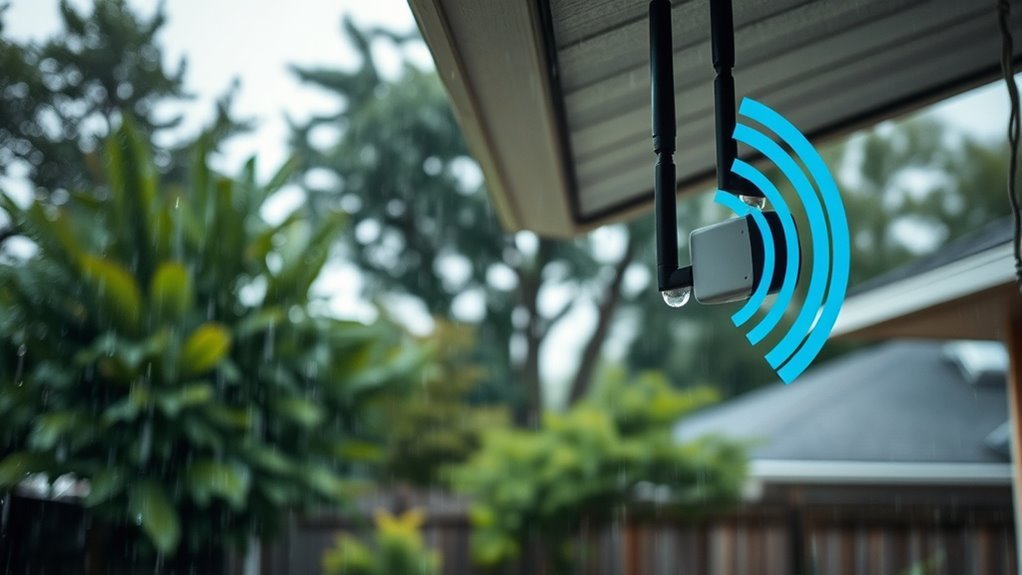
Although rain might seem harmless to your WiFi, it actually absorbs and scatters wireless signals, especially at higher frequencies like 5GHz. This causes your connection to weaken.
Rain absorbs and scatters WiFi signals, particularly at 5GHz, leading to weaker connections.
This phenomenon, known as rain fade, occurs when rainwater in the atmosphere interferes with outdoor WiFi links. You’ll notice significant signal attenuation during heavy rainfall, which slows down your data speeds and increases latency.
If you rely on outdoor hotspots or fixed wireless setups, rainwater can seriously degrade your connection quality. However, if you’re indoors, the impact is minimal since walls shield your device from most of the atmospheric moisture.
Keep in mind that dense rain clouds and heavy storms amplify rain fade effects. This makes outdoor and long-range signals particularly vulnerable to drops in performance during wet weather.
Thunderstorms and Lightning: Electromagnetic Interference Risks
When thunderstorms roll in, lightning generates powerful electromagnetic fields that can disrupt your WiFi connection and even damage your equipment.
This electromagnetic interference can cause temporary signal drops or instability, making your internet frustratingly unreliable.
More seriously, lightning-induced surges can overload your router or modem, potentially frying hardware if you’re not careful.
While the wireless signals themselves aren’t as vulnerable, the electrical components inside your devices are at real risk.
To protect your WiFi setup, use surge protectors designed to handle these sudden spikes.
Better yet, unplug your equipment during severe storms to avoid damage from surges caused by lightning strikes.
Taking these precautions helps keep your connection stable and your hardware safe when the weather turns rough.
How Humidity and Fog Weaken WiFi Connections
You’ll notice that high humidity and fog cause moisture to absorb and scatter WiFi signals, weakening your connection.
Outdoor equipment, especially those operating at 5GHz, is more vulnerable to these effects.
Understanding how moisture affects your signal can help you manage interruptions during damp weather.
Moisture Absorption Effects
Since water vapor in humidity and fog absorbs and scatters WiFi signals, you’ll notice weaker connections outdoors during damp conditions.
Moisture absorption causes increased signal attenuation, especially at 2.4 GHz and 5 GHz frequencies. This leads to slower speeds and higher error rates as your device struggles to maintain clear communication through moist air over long distances.
| Condition | Frequency Band | Effect on WiFi |
|---|---|---|
| High Humidity | 2.4 GHz | Moderate signal attenuation |
| Dense Fog | 5 GHz | Significant signal loss |
| Moist Air | Both | Increased latency & errors |
Understanding how humidity impacts your WiFi helps you troubleshoot and optimize performance when weather turns damp.
Signal Scattering Challenges
Although WiFi signals travel through the air, humidity and fog scatter these radio waves, weakening your connection.
When water vapor increases in the air due to high humidity or dense fog, it causes signal scattering that disrupts your WiFi’s stability.
Tiny water droplets in fog absorb and disperse both 2.4 GHz and 5 GHz signals, reducing your network’s range and speed.
This scattering effect is stronger at higher frequencies, so outdoor WiFi links often suffer more performance drops during humid or foggy conditions.
As a result, you might notice increased latency, reduced throughput, and connection instability, especially over long-distance outdoor links like point-to-point setups.
Understanding how humidity and water vapor impact signal scattering helps you anticipate when your WiFi might struggle.
Outdoor Equipment Vulnerability
Beyond just scattering signals in the air, humidity and fog directly affect your outdoor WiFi equipment’s performance.
When humidity rises, water droplets form on your outdoor equipment, causing signal degradation and weaker connections.
Fog, made up of tiny suspended droplets, disperses WiFi radio waves, especially over long distances. This can lead to slower speeds or even temporary signal loss.
High humidity also increases the risk of water infiltration into your devices, which can cause corrosion and damage critical components.
This vulnerability is particularly problematic for setups using higher frequencies like 5GHz, where moisture impacts signal strength more severely.
To keep your WiFi reliable, you need to protect your outdoor equipment from excessive humidity and water infiltration.
Ensuring it stays dry and well-maintained even in foggy or damp conditions is key.
Wind’s Impact on Outdoor WiFi Equipment and Signal Clarity
When strong winds blow, they can easily shift or topple your outdoor WiFi antennas, disrupting signal transmission.
Wind interference doesn’t stop there—it can blow debris like branches or leaves onto your equipment, causing further signal disruption.
Vibrations from gusts may loosen cables and connectors, leading to intermittent connectivity.
Over time, persistent winds can misalign your devices, reducing signal clarity.
Plus, high winds can damage protective enclosures, leaving hardware vulnerable to moisture and wear.
| Wind Effect | Impact on Outdoor WiFi |
|---|---|
| Antenna displacement | Signal disruption |
| Debris blockage | Equipment damage |
| Vibrations | Loose connections |
| Equipment shift | Misalignment, reduced clarity |
| Enclosure damage | Exposure to moisture |
Protect your setup to minimize these wind-related issues.
Temperature Extremes: Overheating and Freezing Challenges for WiFi
Wind isn’t the only weather factor that can disrupt your outdoor WiFi setup—extreme temperatures also pose significant challenges.
When temperatures soar, your router and other electronics risk overheating. This can reduce performance or even trigger automatic shutdowns.
Without proper ventilation, overheating not only weakens your WiFi signal but also shortens your device’s lifespan.
On the flip side, freezing temperatures create their own problems. Cables and connectors become brittle, increasing the chance of damage and connection failures.
Plus, condensation inside equipment from the cold can cause corrosion or short circuits, further compromising your setup.
To protect your WiFi, maintain an ideal indoor temperature and ensure good ventilation.
This will help prevent temperature-related disruptions and keep your network running smoothly, regardless of the weather.
Physical Obstructions Caused by Weather and Their Influence on WiFi
Although weather changes may seem subtle, they can create physical obstructions that substantially weaken your WiFi signal.
Wind-driven debris and falling branches block or scatter WiFi signals outdoors.
Wet leaves and dense foliage absorb radio waves, reducing coverage.
Snow, ice, and water buildup on equipment disrupt line-of-sight and cause physical damage to antennas and cables, further degrading performance.
These obstructions, both natural and structural, interfere with signal flow and can slow your connection or cause outages.
| Obstruction Type | Effect on WiFi Signals | Resulting Impact |
|---|---|---|
| Fallen debris | Blocks signal paths | Signal loss and interruptions |
| Wet foliage | Absorbs/scatters signals | Reduced range and speed |
| Physical damage | Displaces antennas/cables | Connectivity failures |
Protecting WiFi Infrastructure to Ensure Business Continuity
To keep your WiFi running smoothly during harsh weather, you need to protect your infrastructure with proper weatherproofing and secure installation.
Use quality outdoor gear designed to withstand rain, snow, and wind.
Also, seal all connections to prevent water damage.
Elevate and secure routers and access points indoors or in sheltered spots to reduce physical risks.
Equip your system with surge protectors and uninterruptible power supplies to guard against power surges and outages caused by storms.
Regularly inspect cables and antennas to catch vulnerabilities early before bad weather hits.
Finally, implement redundant network pathways and backup internet solutions to maintain business continuity, so your WiFi stays reliable no matter the conditions.
Taking these steps guarantees your infrastructure stays durable and your operations uninterrupted.
Strategies for Weatherproofing and Maintaining Reliable WiFi
When you want to keep your WiFi reliable despite unpredictable weather, implementing effective weatherproofing strategies is essential.
Start by using weather-resistant enclosures and sealing all outdoor equipment connections to prevent water ingress and damage.
Use weather-resistant enclosures and seal outdoor connections to protect your WiFi equipment from water damage.
Position routers and access points indoors or under sheltered areas to minimize exposure to rain, wind, and temperature extremes, reducing signal interference.
Install surge protectors and backup power supplies like UPS units to guard against electrical surges and outages caused by storms.
Regularly inspect your outdoor equipment for physical damage, loose fittings, or debris that could block signals or cause hardware failure.
Finally, design your network with redundancy and remote monitoring so you can quickly detect and recover from any weather-related disruptions, ensuring continuous, reliable WiFi service.
Frequently Asked Questions
Can Weather Affect a Wifi Connection?
Yes, weather can affect your WiFi connection.
Rain, snow, and storms can weaken signals or damage equipment, causing slower speeds or outages.
While indoor WiFi is usually stable, outdoor setups are more vulnerable to weather disruptions.
Conclusion
Next time the sky darkens and raindrops start to fall, imagine your WiFi signal battling invisible storms.
You might not see the interference, but it’s there—slowing your connection, weakening your link.
Thunder rumbles, humidity creeps in, and cold or heat test your equipment’s limits.
Yet, with the right protection and strategy, you can keep your WiFi standing strong, no matter what weather tries to disrupt it.
Are you ready to weather the storm?
—
In conclusion, weather conditions can significantly impact your WiFi signal.
Rain, humidity, and extreme temperatures all contribute to potential interference that can slow down your connection.
By understanding these factors and implementing protective measures, you can ensure a stable and reliable WiFi experience, regardless of the weather.
So, don’t let a storm disrupt your digital life—stay connected and prepared!